Monkey of Puppets
Game Description
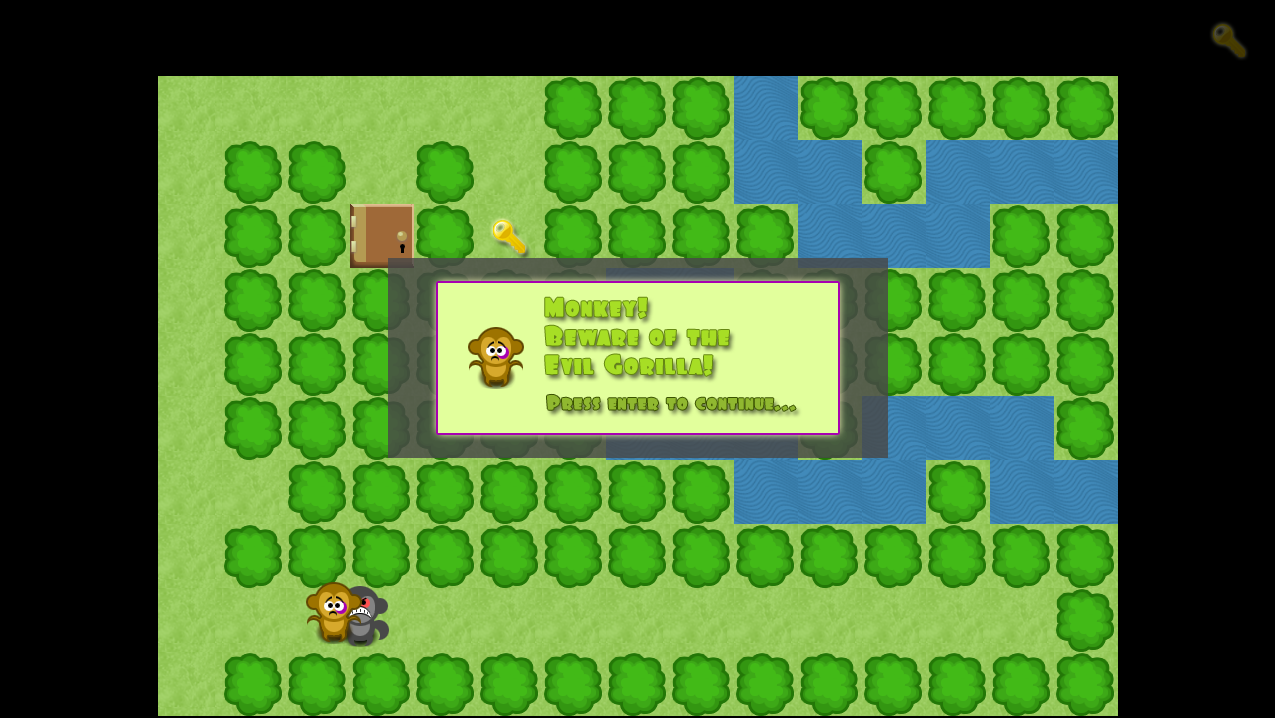
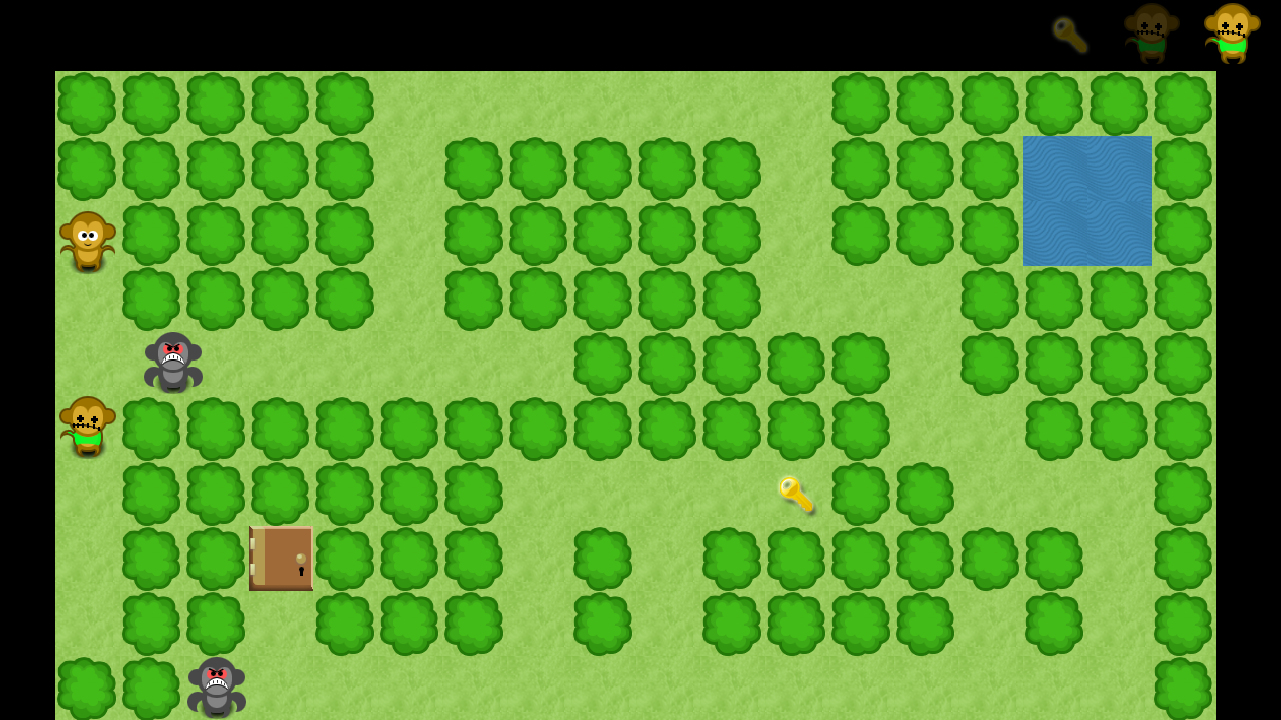
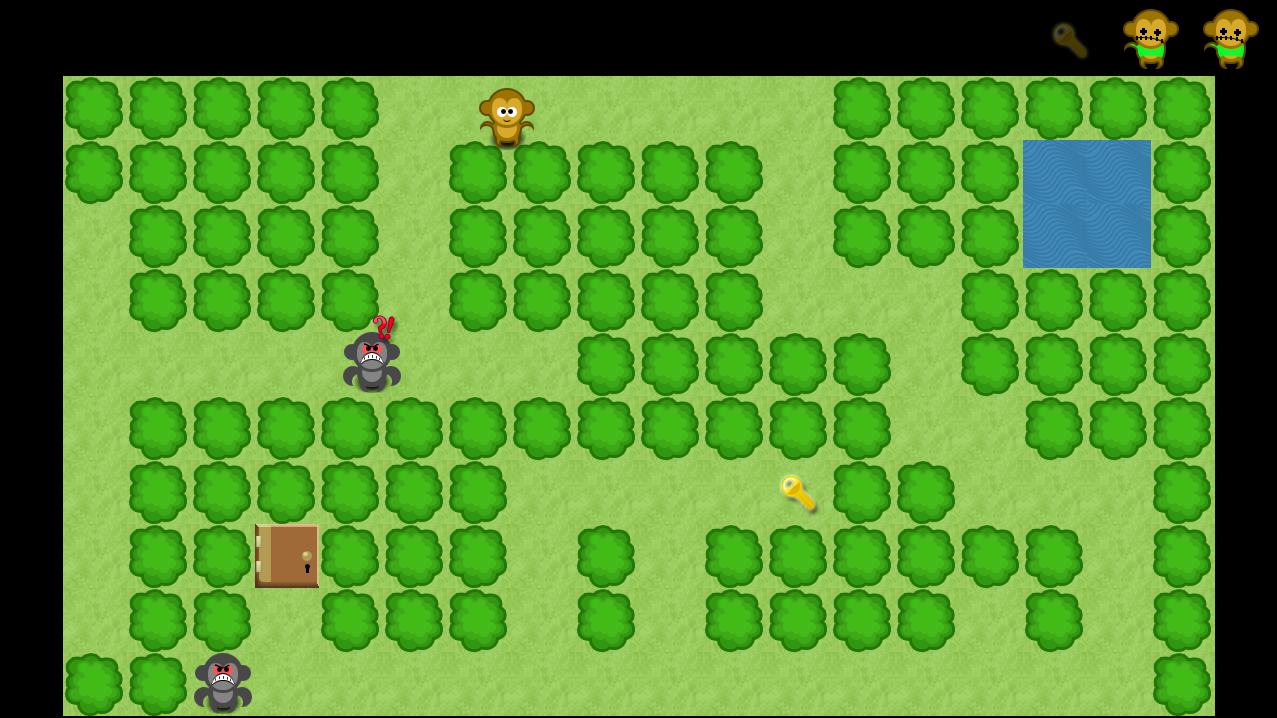
The game was developed as part of the Global Game Jam 2010, where participants have to develop a game within 48 hours. The game’s premise is that the player has to dodge enemies, find the key and get to the door to escape the level. And do it all over again in the next level. The game is build as a 2D tile based world where grass tiles are passable but tiles representing trees are not.
The only tools available to the player are to hide out of sight of the enemy, and deploy a dummy of himself. In such a case, enemies will not known the difference between player and his dummy, and will attack the closest one of the two, giving ample time for the player to find a new hiding spot. The game has a simple menu system build into it, which takes the player through each level in case of success or allows him to player the same level again if he failed to clear it in the earlier attempt.
Programming Challenges
The general challenge in such a project is the lack of time (and sleep) to pay attention to each feature and polish the product. However, the team working on Monkey of Puppets worked very well together and we had the basic game running fairly early, allowing the game to be tested very thoroughly. I personally had a hard time setting up a state management system to handle the game’s menu and sound events. Depending on the game’s events, a unified state would be computed in the root class, which the audio & menu system would listen to and respond accordingly.
Features
- 2D tile-based engine for the game using XNA Framework
- Player, key and door classes deriving from the parent Entity class
- Unified state management system for handling game and audio events
- Game menu system to proceed through the game levels
- Bot AI allowing them line-of-sight and ability to track to a position
Video
Screenshots
Code Sample
Development workflow involved level designers formulating the level layout on a text file. This file is processed by the TileLayer class in the code where tile types, entity locations and textures are loaded, as shown in the code snippet below:
public TileLayer FromFile(ContentManager content, string fileName)
{
    TileLayer tileLayer;
    bool readingPassable = false;
    bool readingNonPassable = false;
    bool readingLevelMap = false;
    List<TextureType> textureNames = new List<TextureType>();
    List<List<int>> tempLayout = new List<List<int>>();
    List<int> passTiles = new List<int>();
    List<int> nonpassTiles = new List<int>();

    using (StreamReader reader = new StreamReader(fileName))
    {
        while (!reader.EndOfStream)
        {
            string line = reader.ReadLine().Trim();

            if (string.IsNullOrEmpty(line))
                continue;

            if (line.Contains("[Passable]"))
            {
                readingPassable = true;
                readingNonPassable = false;
                readingLevelMap = false;
            }
            else if (line.Contains("[NonPassable]"))
            {
                readingPassable = false;
                readingNonPassable = true;
                readingLevelMap = false;
            }
            else if (line.Contains("[LevelMap]"))
            {
                readingPassable = false;
                readingNonPassable = false;
                readingLevelMap = true;
            }
            else if (line.Contains("[Character]") ||
                line.Contains("[Enemy]") ||
                line.Contains("[Pickups]"))
            {
                readingPassable = false;
                readingNonPassable = false;
                readingLevelMap = false;
            }
            else if (readingPassable || readingNonPassable)
            {
                textureNames.Add(new TextureType(line, readingPassable));
            }
            else if (readingLevelMap)
            {
                List<int> row = new List<int>();

                string[] cells = line.Split(' ');

                foreach (string c in cells)
                {
                    if (!string.IsNullOrEmpty(c))
                        row.Add(int.Parse(c));
                }

                tempLayout.Add(row);
            }
        }
    }

    int width = tempLayout[0].Count;
    int height = tempLayout.Count;

    tileLayer = new TileLayer(width, height);

    for (int y = 0; y < height; y++)
        for (int x = 0; x < width; x++)
            tileLayer.SetCellIndex(x, y, tempLayout[y][x]);

    tileLayer.LoadTileTextures(content, textureNames);

    return tileLayer;
}
Download
Click here to dowload the latest version of the game
Installation Instructions:
- Extract the downloaded file, and run setup.exe